Descript Review
Editing audio and video by editing the transcript is one of those ideas that instantly obsoletes the old way — for talk content. Podcasters and course-makers should switch and not look back; anyone whose edits are about visuals rather than words still needs a traditional editor.
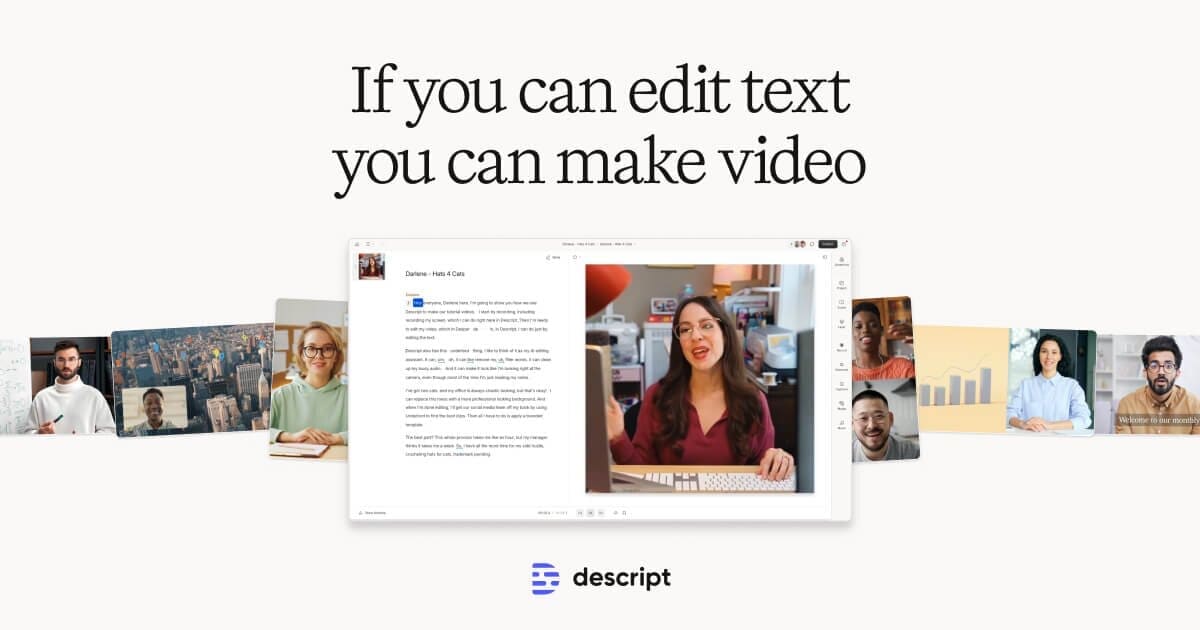
- Type
- Transcript-based audio/video editor, subscription
- Best for
- Podcasts, interviews, courses, talking-head video
- Free tier
- Yes — enough to test the workflow
Reasons to buy
- Delete the sentence, delete the take — transcript editing is that direct
- Filler-word removal and studio-quality voice cleanup save real hours
- Overdub-style correction fixes a flubbed word without re-recording
- Collaboration feels like a doc, not a render pipeline
Reasons to avoid
- Long multi-track projects can get sluggish — heavy editors feel it
- Visual-first editing (action, music timing, effects) isn't the paradigm here
- Transcript accuracy sets the ceiling — bad audio in, fiddly session out
- Occasional export quirks reward keeping expectations, and backups, sensible
Traditional audio editing means staring at waveforms hunting for the 'um' you can hear but not see. Descript's founding trick — the recording becomes a transcript, and editing the text edits the media — turns that hunt into deleting a word in a doc. For talk-driven content, this is not an incremental improvement; it collapses hours into minutes and, more importantly, lets people who think in words rather than waveforms edit at all.
The supporting cast earns its place. One-click filler-word removal does a rough-cut pass that used to be an afternoon. The voice-cleanup effect makes bedroom recordings sound respectably studio-like. And the voice-correction feature — type the word you meant, hear it in your voice — rescues the take with one flubbed number in an otherwise perfect read. Course-makers updating last year's material feel that one most: a price change no longer means a re-record.
The honest limits: this is a words-first tool, and it shows at the edges. Projects that are really about visuals — action cuts, music-timed sequences, effects work — belong in a traditional editor; Descript's video features are companions to talk, not a Premiere replacement. Very long or many-tracked projects can slow the app down, and since the transcript is the steering wheel, mumbled or noisy source audio degrades the whole driving experience. Export hiccups aren't common, but keep originals like a professional anyway.
The buying decision is unusually clean. If your output is podcasts, interviews, tutorials, or talking-head video, the free tier will convince you inside an hour and the subscription pays for itself in edit time immediately. If your edits are visual, this was never your tool — and knowing that from this paragraph is cheaper than learning it from a subscription.
How we tested
The Descript was scored against the same written rubric we apply to every Audio & Video product — real-world performance, build quality, ease of use, upkeep and value. Full protocol on our How We Test page.